
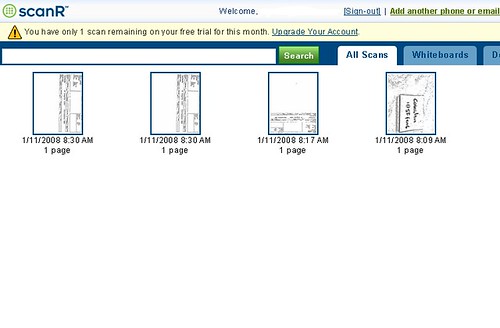
 I am not going to review this service as I did not seem to have the ability to do a good in focus photo from my phone. There is a service called scanR and it is a simple service that does not require any installation but they do supply and application for those of you that might use it more regularly.
The premise is that, using your phones camera, you can photograph a document or business card at high resolution (and in focus) and from your phone, email it to their service. The service will apply image processing to tidy up the image and can save the document in pdf format.
The service also provides a faxing service.
Sign up is easy in that you give an email address and a chosen site password and send your first document to doc@scanR.com and they will send you back a code. You enter that code and you are set. I like that, fast and easy.
The free scans last for 5 per month and $3 a month will get you unlimited scanning.
I had mixed results but I can put that down wholly to my ability to take an in-focus picture.
Send feedback if you try this and get workable results.
Friday, January 11, 2008
How to Scan and Fax using your Motorola Q


Wednesday, January 9, 2008
Yahoo Go! - Yahoo Mail, Flickr and more on your Motorola Q

For those of you that have yahoo as the center of your internet universe, Yahoo Go is a very nice little mobile application.
The application offers all Yahoo brand services such as Mail, Flickr, Search, Maps, Weather and various news feeds. My main mailbox is yahoo mail so this was the reason I added this app as it offers the near full Yahoo mail experience with ability to get to all your mail folders and contacts. There is also a synching feature to synch your yahoo contacts to your phone contacts.
Outside of this, I am not much of a Flickr user (not requiring mobile access at least) but the interface is slick. Yahoo weather is about the only other feature I could see myself using but that is a "once in a blue moon" feature.
I get my news from elsewhere.
Nevertheless, If you are a Yahoo mail user, this is a superior mail interface for your yahoo account than the windows mobile standard one you get with the phone - so it is worth it for that.
Version 3.0 is just out so I will add a new review or update this one soon.
Opera Mini Browser - A Better Browser for your Motorola Q
 Opera mini is an alternative browser to the installed Internet Explorer (IE) browser standard on Windows Mobile.
The first thing you will need in order to install this browser is a java tool. I use Esmertec JBed which can be found here.
Install this and then go to the Opera mini website. Install as per normal procedure.
The first thing you will notice with this browser as compared to IE is the noticeable increase in speed of surfing and by pressing the back button, you notice an almost instantaneous return to the previous page.
Version 4 of Opera mini offers the ability to view your page in portrait or landscape mode with the pressing of 2 buttons.
 Opera offers an excellent online interactive demo here to show you exactly how the browser will run on your phone.
Images here taken from the Opera mini demo page.
Also of note is the handling of viewing images. The browser has a zoom function which allows you to see the image in full screen or in a closeup.
The browser does allow skinning so you can adjust the appearance.
Overall Opera mini wins on almost all categories over IE for me with the only exception of having to load the Java app as an extra button press to load it.
