
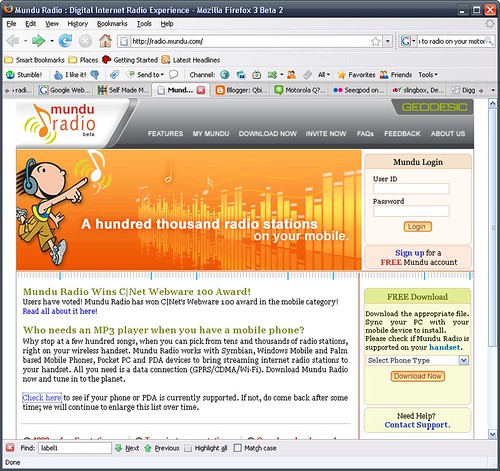
This is a nice little application that will enable you to listen to Thousands of radio stations on your Q. The service is free as is the application.
Simply go to the site here and create an account, download the CAB file (installation) and install.
You can create personal playlists and since this uses your internet connection, you should have a unlimited internet plan before using this. 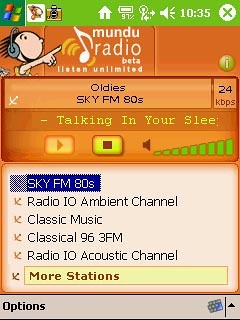
Showing posts with label Audio. Show all posts
Showing posts with label Audio. Show all posts
Monday, January 14, 2008
How to listen to Radio on your Motorola Q - Mundu Radio


Thursday, January 10, 2008
Phonezoo - Get Free Ringtones for your Motorola Q
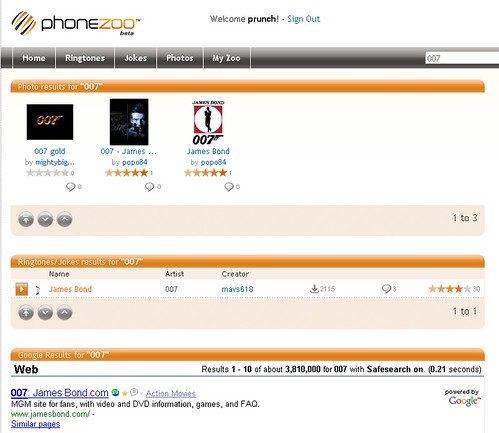
I am not one that needs to change my ringtone every 2nd day, but there was a time when I would have. If you need a ringtone specifically customized and free, then Phonezoo might just be the website for you.
I wanted the James Bond theme as my ringtone, yes, I am 007 geek. So I found Phonezoo and set up an account.
From the main page, I did a search and found what I was looking for. No problem, sent it to my phone - I was happy.
Now, if I did not find it, Phonezoo offers another service that is clever where you can upload an audio file from your PC and then edit the selection to just take the specific audio clip you want.
You can also locate more than just music, movie quotes abound also. Basically anything audio.
If you are looking to solve your ringtone needs and do not want to pay money for them, Phonezoo handles the task.
Wednesday, January 9, 2008
How to Increase the Headset Volume on your Motorola Q
 When I was attempting to set up my Q as an MP3 player, I ran into the problem of the headset volume being just too low.
After searching, I found the way to handle this by means of a registry hack.
Navigate through the path as follows:
HKEY_LOCAL_MACHINE
Software
Motorola
BPCTRLR
WaveDev
BaseGains
Press the values button on the bottom left of the screen and locate StereoHdstPathGain Value, select it and raise value to 10 or higher (10 seems acceptable). Press Done when complete.
Conduits Pocket Player - Make your Motorola Q into a Full Featured MP3 Player

Conduits offers full function media player called Pocket Player. It handles playing audio files including MP3, videos, podcasts and offers an onboard search and webguide.
For the purposes of this test and review, I am going to emphasize the MP3 player aspect of the application.
The browser screen (shown left) gives you a good idea of how this application is used and has a similar user interface to most MP3 players we know.
Browsing is fast and organized as you would hope.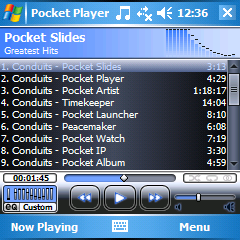 Once the player screen comes up based upon your selection, all is familiar and pretty obvious with the direction buttons handling most of the work. Up/Down handles volume and Left/Right handles moving through the songs. All these buttons can be remapped to customize the player fully to your needs.
Functionally, this application offers spectacularly more functionality with abilities to add plug-ins, alter appearance via skinning, full graphic equalizer and built in browser to search all manner of media including podcasts. The screenshot page will give you an excellent summary of the scope of this application.
Overall this is a stellar, professional application and fully deserving of the $19.95 price tag (at the time of writing this). There is a 30 Day demo so you can check it out for yourself.
Subscribe to:
Posts (Atom)
