
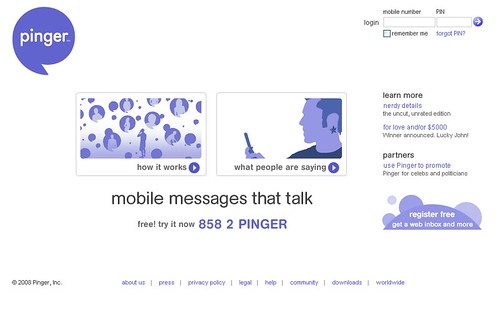
 I found an interesting service that can save money and add a little more personality than texting and be faster than texting for the times you don't want to interrupt. The service is named Pinger and it enables you to record a voice message by caling a central number and then it sends it out to one or multiple contacts of your choosing.
They get a text that they follow and voila, hear your sweet voice instead of a cold text. The message can be as long as 5 minutes so more information can be included.
This service is nice if you want to leave a voicemail but dont want to talk or have a message for multiple people but it would take ages to type out. I could see this saving a few cellphone minutes too.
Oh its free!
Showing posts with label Website. Show all posts
Showing posts with label Website. Show all posts
Friday, January 11, 2008
How to send a Voicemail Message without actually calling anyone on your Motorola Q


Thursday, January 10, 2008
Phonezoo - Get Free Ringtones for your Motorola Q
I am not one that needs to change my ringtone every 2nd day, but there was a time when I would have. If you need a ringtone specifically customized and free, then Phonezoo might just be the website for you.
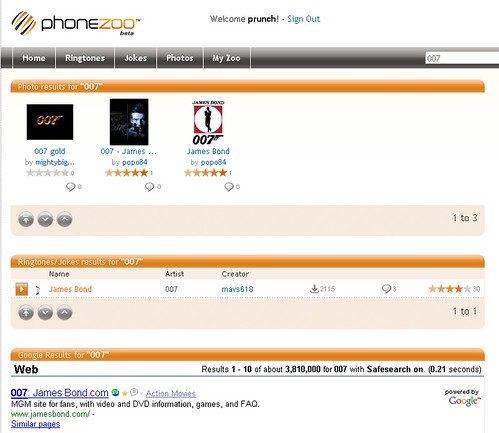
I wanted the James Bond theme as my ringtone, yes, I am 007 geek. So I found Phonezoo and set up an account.
From the main page, I did a search and found what I was looking for. No problem, sent it to my phone - I was happy.
Now, if I did not find it, Phonezoo offers another service that is clever where you can upload an audio file from your PC and then edit the selection to just take the specific audio clip you want.
You can also locate more than just music, movie quotes abound also. Basically anything audio.
If you are looking to solve your ringtone needs and do not want to pay money for them, Phonezoo handles the task.
Subscribe to:
Posts (Atom)
